If someone gets into your systems without permission, it’s rarely a “hacker in a hoodie” situation. More often, it’s an old employee account that was never deactivated, a weak password on a remote server, or a team member clicking a link they shouldn't have.
When unauthorized access happens, the fallout is rarely just technical. It’s about lost revenue, legal headaches, and the exhausting process of rebuilding trust with your clients. Securing your network means having the right security measures in place to ensure that only the right people access the right data.
In this guide, we’ll look at 10 practical ways to tighten your security, spot trouble early, and keep your business running without the constant fear of a breach.
Key takeaways
Unauthorized access means someone gets into a system, network, or storage they shouldn't, caused by software issues, stolen login info, or skipped security measures.
Simple passwords or outdated software are common reasons for unauthorized data access, making it easy for cybercriminals to access or steal important information.
To prevent unauthorized access, update systems, use strong passwords, train employees on security, encrypt data, and ensure Wi-Fi is secure.
NordLayer helps by checking who is using the system or device, making it easier to see and follow data protection laws.
With NordLayer, businesses can better manage their networks and detect unauthorized access early, helping avoid data breaches and the loss of money or reputation.
What is unauthorized access?
Simply put, unauthorized access is when a person—inside or outside the company—views or uses data they aren't supposed to. This could be a stranger using stolen credentials to enter your network, or an employee digging into payroll files they have no business seeing. Whether it’s an intentional attack or an accidental oversight, it breaks your data privacy and puts your operations at risk.
Why does unauthorized access occur?
Unauthorized access happens for many reasons, involving both technology issues and human actions. People can get into places they shouldn't be in digital systems, seeing or taking sensitive information they don't have the right to access. Let's take a look at some examples.
Human factors. People can accidentally help attackers gain access. This might happen if they use easy-to-guess passwords, like ‘password123,' or are tricked by fake emails asking for their login details. It's similar to accidentally giving a thief your house keys. Not knowing about these risks or how to avoid them makes it easier for these mistakes to happen.
Technological vulnerabilities. One of the primary reasons unauthorized access occurs is due to weaknesses in software and hardware systems. Cybercriminals exploit these vulnerabilities, which may exist because of outdated systems, unpatched software, or insecure web applications. Such vulnerabilities open the door for attackers to infiltrate systems and access sensitive information without permission.
Inadequate security measures. Sometimes, the problem is that there isn't enough security in place. This could mean not having a good way to check who's entering your network (like
network access control solutions), not keeping information safe (like encrypting sensitive data), or not watching the network closely to spot trouble. It's as if a building doesn't have enough guards or security cameras.
Cybercriminals use clever tricks. They use increasingly sophisticated methods and gain more resources. These include advanced phishing schemes, social engineering tactics, malware, and
ransomware attacks, all designed to either steal credentials directly or exploit users' actions to gain unauthorized access.
Threat actors devise new tricks to get past security, like zero-day vulnerabilities. Also, they use new malware—software that can damage your computer; or ransomware, which locks your files until you pay a ransom. 560,000 new pieces of malware are detected every day, and there are now more than 1 billion malware programs circulating. These methods are constantly changing and can be hard to catch.
Related Articles

Anastasiya NovikavaSep 2, 20247 min read
Anastasiya NovikavaJan 9, 202613 min read
Real-life examples of unauthorized access
Unauthorized access can happen in many ways. It often takes advantage of technical weaknesses and human errors.
Here are 7 ways unauthorized access can happen in businesses, explained simply:
Phishing attacks. Imagine getting an email that looks like it's from someone you trust at work, asking you to click a link and log in. If you do, cybercriminals can enter the company's network with your details. For instance,
Twitter (now X) faced a significant phishing attack in 2020, where attackers targeted employees to gain access to high-profile accounts and trick people into sending money.
Weak passwords. If someone tries common passwords, they might just guess yours, especially if it's a simple one. A weak password can cause data breaches or harm your reputation. Take the 2020 incident with SolarWinds. Although the main breach was due to a supply chain attack, a separate issue was
a weak password, ‘solarwinds123,' used by an intern. This drew criticism from US lawmakers and pointed out a lapse in security.
Insider threats. Sometimes, the danger comes from within. A
Tesla incident in 2023 showed how former employees could take sensitive information and share it outside the company, putting personal data at risk.
Social engineering. This is when bad actors pretend to be someone you trust to get access to the company's network. They might act like a boss in a hurry, asking for data or access they shouldn't have. It's old, but still very effective. For example,
Mailchimp experienced a breach in the summer of 2022 and then again in January 2023 due to social engineering. In both instances, an intruder accessed internal tools and compromised data on 133 Mailchimp accounts.
Credential stuffing. This is when attackers take lists of leaked usernames and passwords from one breach and try them on other services. Because people often reuse passwords, it’s a low-effort way for hackers to get in. A prime example is the
"Mother of All Breaches" (MOAB) in 2024, where 16 billion records were compiled into one searchable database, making it incredibly easy for criminals to hijack user accounts across thousands of different companies.
Poor offboarding. When an employee leaves a company, their access needs to be cut immediately. If it isn't, you’re looking at an insider threat risk. In late
2025, the retailer Coupang suffered a breach that exposed the data of 34 million customers. The culprit? A former employee who still had active login credentials and used them to exfiltrate sensitive information long after they had stopped working there.
Third-party vulnerabilities. Sometimes your security is only as good as the vendors you work with. If a partner with access to your network gets hit, you’re exposed too. In the
2025 M&S breach, hackers didn't attack the retailer directly. Instead, they compromised an IT contractor’s email to gain a foothold. This gave them a backdoor into the main system, proving that stolen credentials from a small partner can cause a corporate disaster.
How to detect unauthorized access?
Detection is all about spotting behavior that feels off. Keep an eye out for:
Impossible travel. A user logs in from Berlin, then 10 minutes later from Tokyo.
After-hours activity. Why is someone downloading the entire client database at 3 AM on a Sunday?
Multiple failed logons. A sudden spike in "wrong password" errors on a single user account.
New, weird files. Strange software appearing on an employee's laptop or changes to system permissions that nobody authorized.
One bundle. Two security layers.
Simplify security for SMBs with endpoint and network protection.
10 ways to prevent unauthorized access
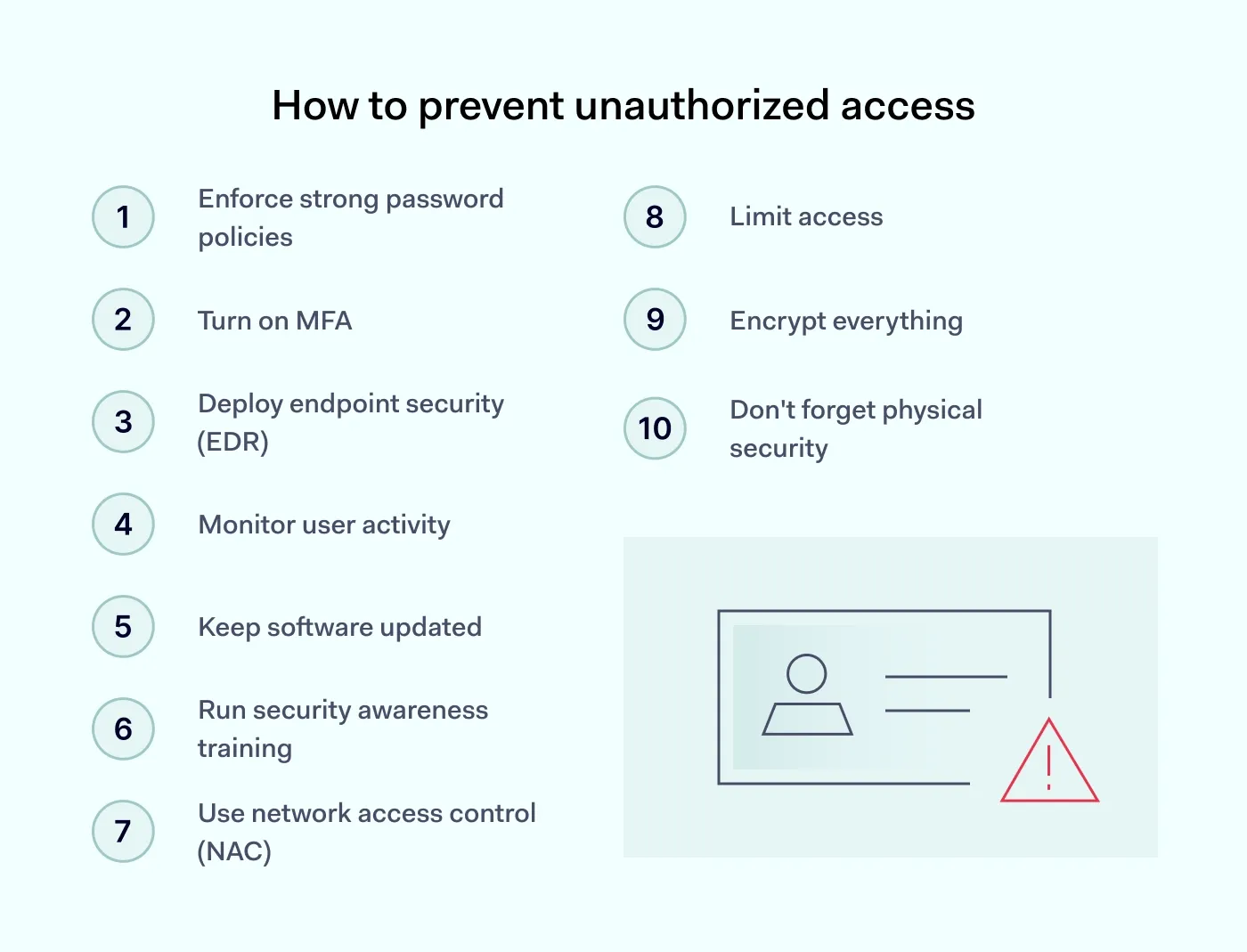
Preventing unauthorized access requires a multi-faceted approach involving technology, policies, and training. Here are actionable steps to secure your systems and data.
1. Enforce strong password policies
Security starts with moving away from the "it's good enough" password mindset. Enforce a policy that requires long, unique passphrases rather than just simple words with a number at the end. Using an enterprise password manager is the best way to do this without driving your team crazy—it handles the heavy lifting of random strings so your employees don't have to.
2. Turn on MFA
Multi-factor authentication acts as your most reliable safety net. Even if a team member falls for a phishing scam and gives up their password, the intruder is still blocked. It's a non-negotiable step for any modern business.
3. Deploy endpoint security (EDR)
Unlike old-school antivirus that just looks for known viruses, endpoint security monitors behavior in real-time. If a laptop suddenly starts encrypting files or trying to connect to a suspicious server, the system can automatically isolate that device from the rest of the network. This stops a single infected laptop from turning into a company-wide disaster.
4. Monitor user activity
You can’t just set permissions and hope for the best. By monitoring user activity, your IT team can spot "impossible travel" (like a login from London followed by one from Tokyo minutes later) or unusual data movements. Catching an account downloading hundreds of sensitive files at 3 AM is a major red flag—seeing this early is often the only way to stop an insider threat before the data leaves the building.
5. Keep software updated
Every "remind me later" on a system update is a gift to hackers. Automate your patches so you aren't left vulnerable to a bug that was fixed months ago.
6. Run security awareness training
Your employees are your first line of defense, but only if they know what to look for. Run regular, bite-sized sessions on how to spot phishing attacks. When your team knows how to hover over a link to check the actual destination before clicking, your overall risk profile drops significantly.
7. Use network access control (NAC)
NAC checks the "health" of any device trying to connect to your office Wi-Fi. If a device is unmanaged or its security settings are turned off, NAC keeps it out. This ensures that one person’s compromised personal phone can't infect your entire corporate environment.
8. Limit access
Not everyone needs access to everything. Use strict access management to make sure employees only have the tools and data they need for their specific job. It keeps things organized and significantly limits what an attacker can steal if they manage to hijack a single user account.
9. Encrypt everything
By scrambling your data while it sits on your hard drives and while it’s traveling across the web, encryption makes it unreadable to anyone without the specific key. If a thief steals a laptop, it ensures they walk away with nothing but useless gibberish.
10. Don't forget physical security
Digital firewalls won't do much if a stranger can walk into your office and plug a thumb drive into a server. Real-world physical security—like keycards, locked server racks, and "clear desk" policies—is just as vital as your digital defense.
Unauthorized access consequences
Unauthorized access can lead to serious problems for both individuals and organizations. Understanding these issues and focusing on solid cybersecurity measures is important.
Data breaches. Sensitive data is in danger when someone gains unauthorized access. This situation can lead to identity theft, financial fraud, and a big drop in trust from customers and partners.
Financial loss. The costs of dealing with unauthorized access can add up quickly. Organizations may have to pay for investigations, legal fees, and letting affected people know what happened. They might also face fines for not following data protection laws and lose business.
Reputational damage. A security breach can badly damage how people see an organization. Customers might start to doubt if their sensitive information is safe, which can make them less loyal and decrease business.
Operational disruption. If unauthorized data access affects critical systems, it can stop business operations. Getting back to normal takes time and money, adding to the financial loss.
Legal and regulatory consequences. Companies could face legal issues and fines if they don't meet data protection regulations. This makes dealing with a security breach even more complicated and expensive.
Loss of intellectual property. If someone steals intellectual property through unauthorized access, it can hurt an organization's competitive edge and revenue.
Compromised personal safety. Leaked personal information can put people at risk of physical harm or harassment.
How NordLayer can help
NordLayer helps businesses strengthen their digital defenses and block unauthorized access. Its NAC solutions authenticate users and devices, offering secure access across different platforms. This approach not only helps prevent unauthorized access but also monitors the network, allowing businesses to act fast when they spot potential threats.
NordLayer gives companies a clear view of their network, showing which devices have permission and making sure they meet strict data protection rules like GDPR, HIPAA, and PCI-DSS.
Moreover, NordLayer's tools for network visibility and threat prevention, allow businesses to deeply understand what's happening on their networks and take steps to stop threats before they gain unauthorized access. These tools reduce the chance of data breaches and help businesses avoid financial and reputational harm.
By mixing information on activities, server use, and device conditions, NordLayer makes unauthorized access hard. Contact our sales team to protect your networks, keep sensitive data safe, and keep your customers' and partners' trust.

Aistė Medinė
Editor and Copywriter
An editor and writer who’s into way too many hobbies – cooking elaborate meals, watching old movies, and occasionally splattering paint on a canvas. Aistė's drawn to the creative side of cybercrime, especially the weirdly clever tricks scammers use to fool people. If it involves storytelling, mischief, or a bit of mystery, she’s probably interested.